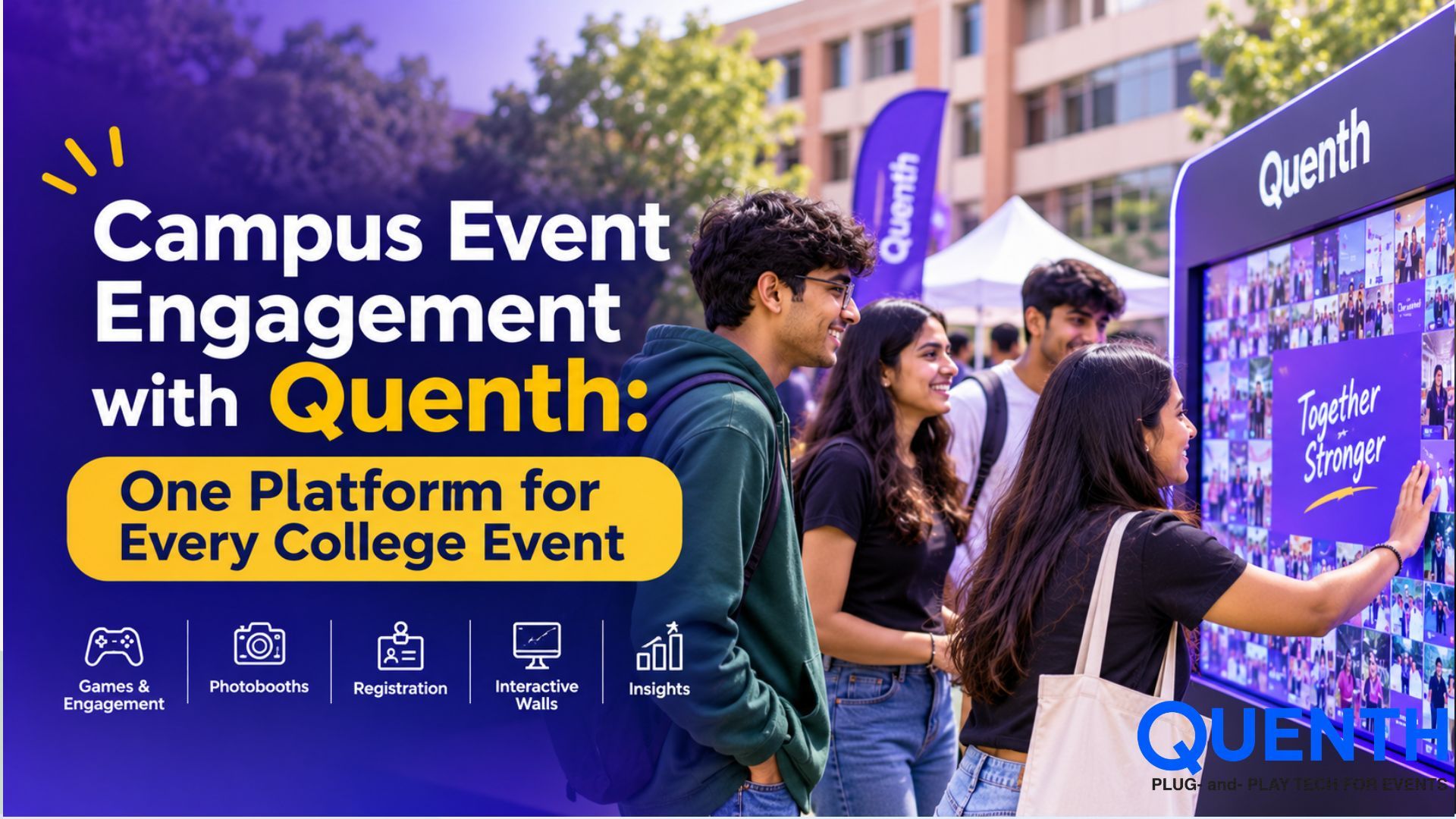
Campus Event Engagement with Quenth: One Platform for Every College Event
Introduction
A campus is a buzz with events. There are the big fest events, the orientations, convocations, concerts, club events and so on. You may need to bring in thousands of students at a time for various events. The challenge is that you end up using a variety of tools to manage registration, check in, photography, audience engagement and content delivery for each event.
What if you could bring all these experiences together in one platform?
Quenth connects the campus event experiences to let colleges capture event moments and personalize the campus event experiences to students, faculty and staff. Quenth is designed to support all campus events. Whether it is a small event like an orientation for 200 students or a big event like a college fest for 10,000 students, Quenth can be deployed for all connected experiences.
One Kit, Every Event on the College Calendar
Every campus event has a specific purpose, audience and level of energy. A college fest is a high energy event focused on games and audience participation. An orientation is about welcoming the new students. A convocation is about creating something that students can take home. A club event is about creating an experience for the audience to participate.
Quenth brings all of this and more together with its flexible and innovative event configurations.
Some of the campus events it can support include:
- ✓ College Fests: Student involvement with games, an AI photo experience, a live wall and lots of other activities for the audience.
- ✓ Orientations: Welcome the new batches in, capture student information, create a record of the first day and generate a keepsake.
- ✓ Convocations: Digital mementoes and personalized photos for graduates.
- ✓ Club and Society Nights: Interactive activities for concerts and performances.
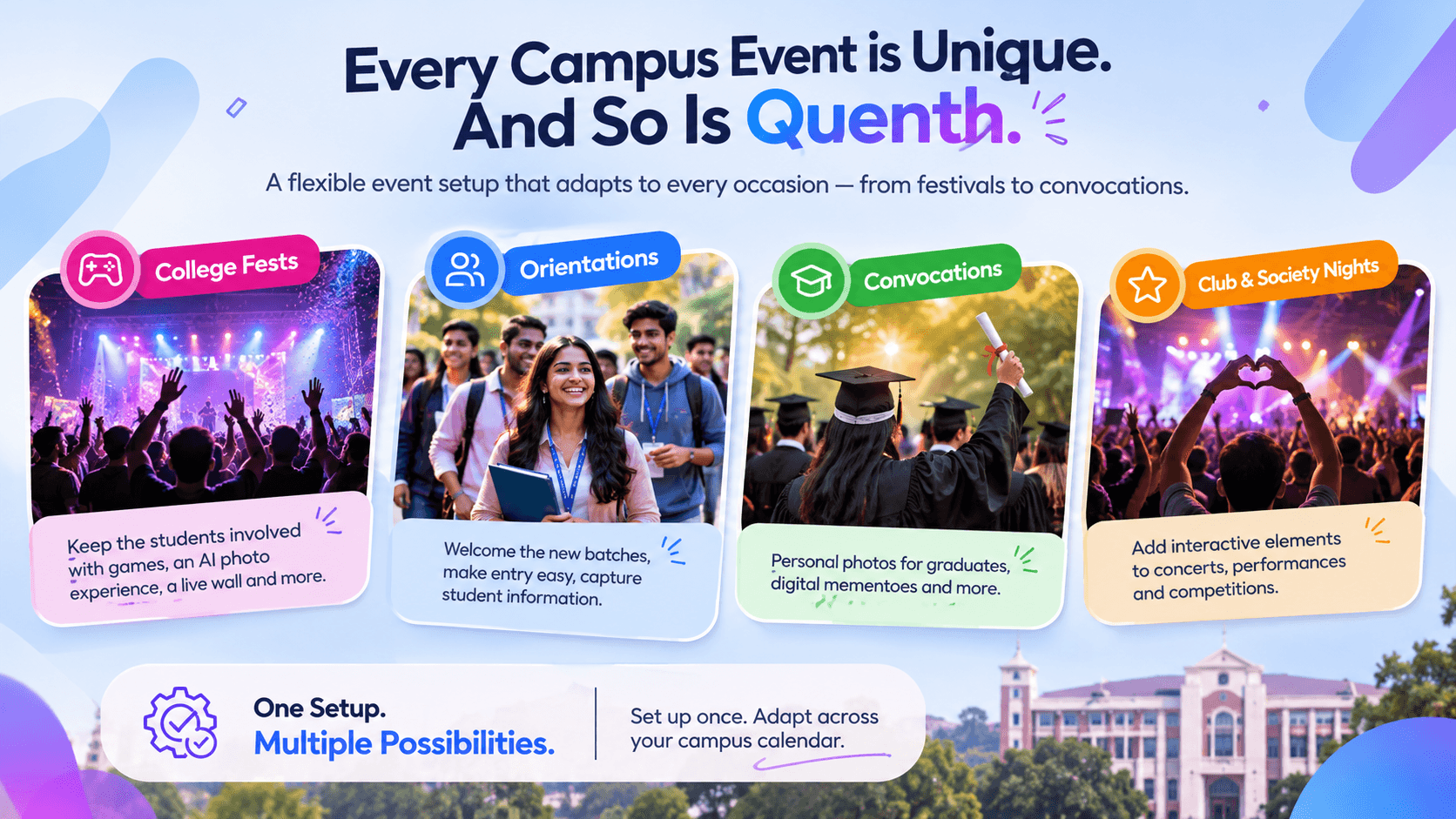
The advantage is that colleges don’t have to build a new event setup from scratch each time. Branding and experience flows can be set up once and then adapted for the campus calendar.
Three layers. One connected campus event experience.
Quenth’s approach brings the three key stages of Capture, Personalise and Deliver together. These elements combine to create a single experience rather than a set of disjointed event tools.
1. Capture: Bring Every Campus Moment Together
The first step is to capture attendees’ data via interactive experiences and event activities. Quenth offers multiple experiences in one setup:
- ✓ AI Booths: Students take pictures, customize and transform themselves with the help of AI avatars, styling and effects.
- ✓ Live Walls: A live display of student photos and contributions on the main event screen via a gallery or crowd mosaic.
- ✓ Lead capture and QR check-in: Make collecting attendee info, providing them with entry passes, and checking in attendees at your event, quick and easy.
- ✓ Crowdplay: Use quizzes, games, live polls and leaderboard challenges, to engage students.
- ✓ AI Bots: Use interactive Q&A to provide attendees information and engage them with interesting AI experiences.
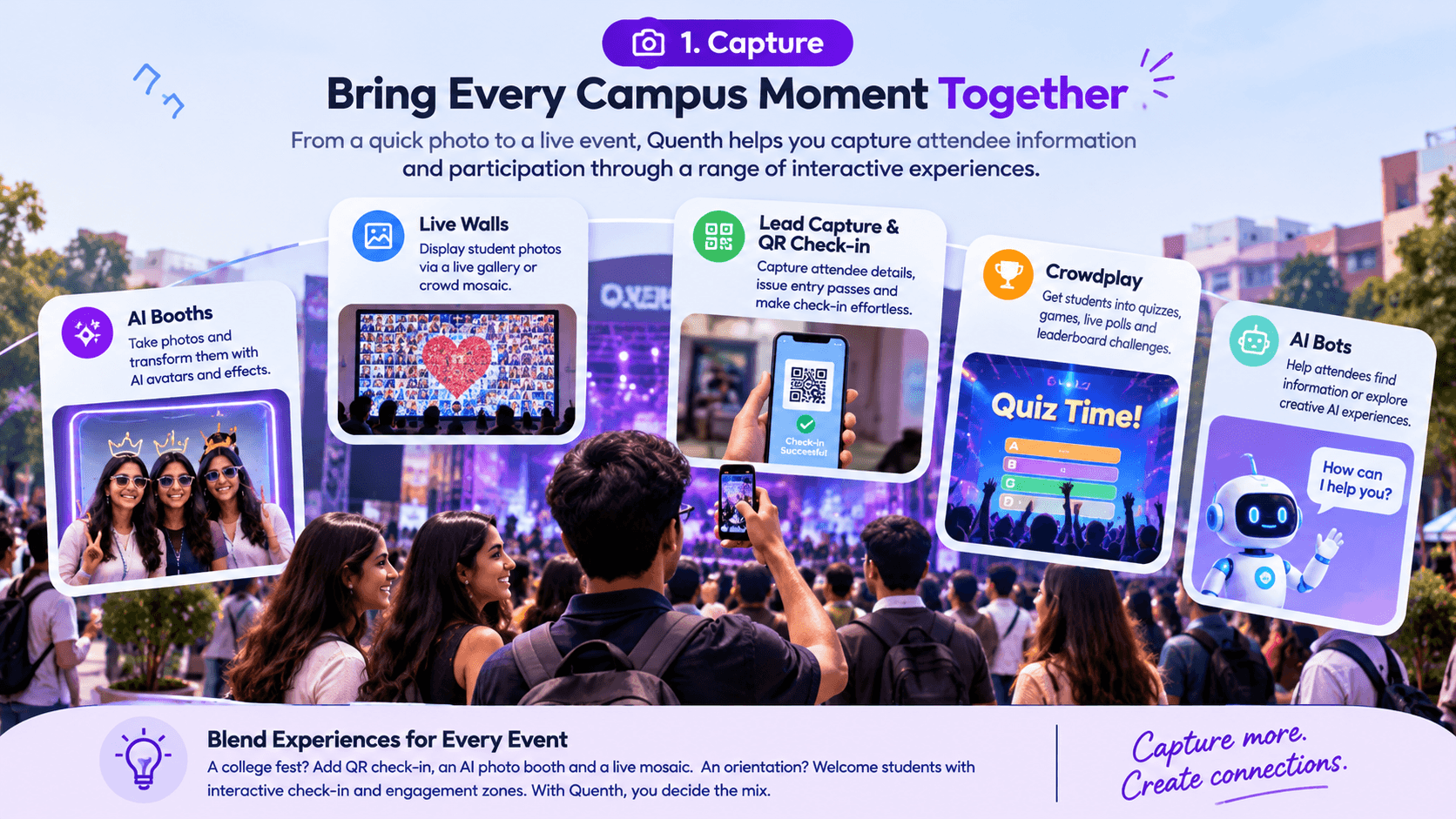
These can be combined and used creatively according to the requirements of the event. A college fest, for instance, could have QR check-in at the entrance, an AI photo booth on the ground and a live mosaic on the stage.
2. Personalize: Make Every Student Part of the Experience
Collecting a photo or registering an attendee is just the beginning. The real advantage comes with using the attendee data to provide a personalized experience.
Quenth's personalization layer uses college branding and student data to provide a range of outputs. Unlike providing the same neutral/generic content to all attendees, it helps deliver personalized content. Some examples:
- ✓ Personalised photo prints: Add attendee photo and name to college branded design.
- ✓ Entry passes with QR codes: Create branded entry passes with the attendee name and info.
- ✓ Live Galleries: Personal student photos on event screens with personal info.
- ✓ Crowd Mosaic: Use individual student contributions to create a larger image, e.g. College Logo.
- ✓ AI Photo Outputs: Use captured photo to create themed/styled images related to the event.
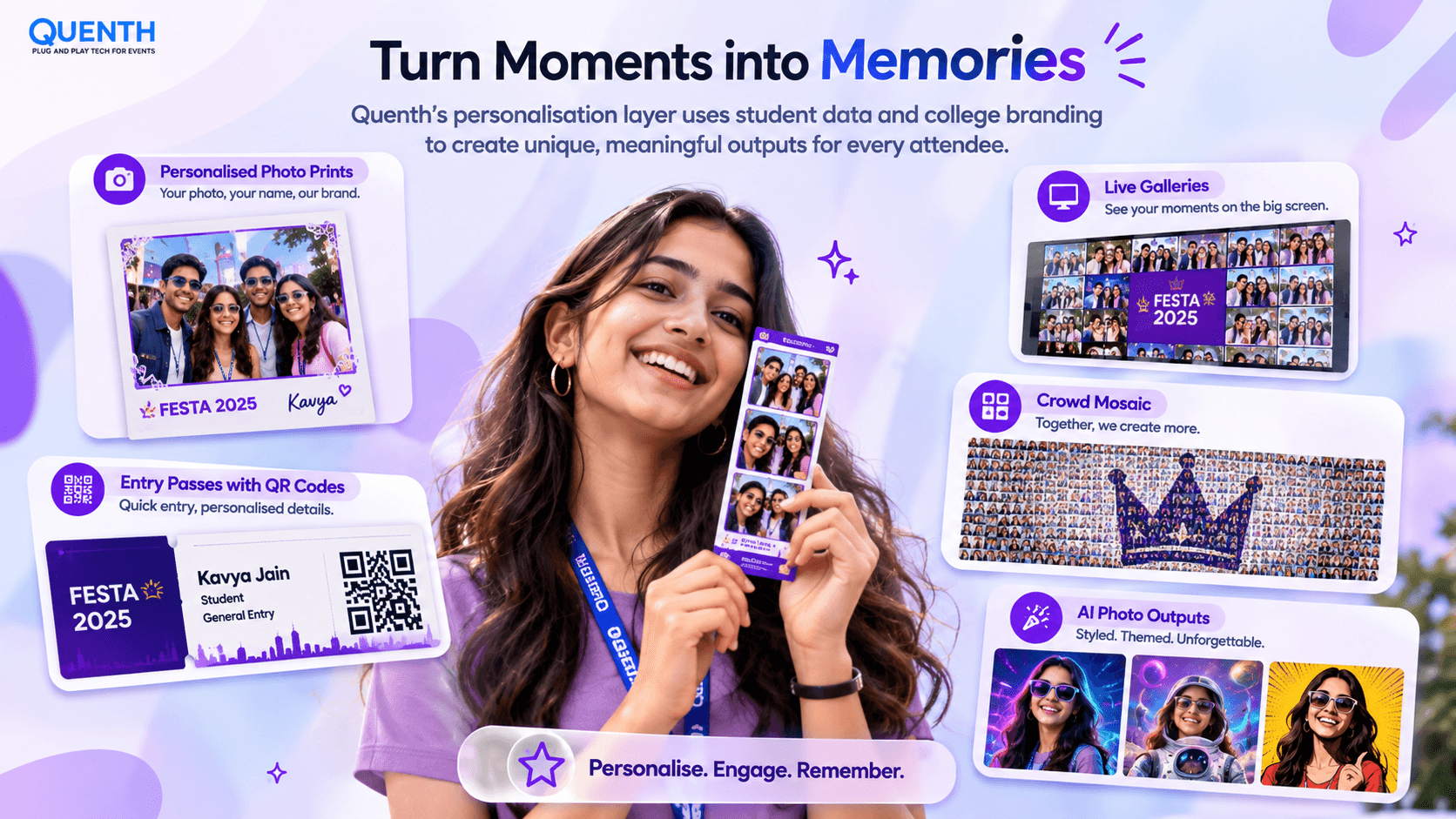
The college brand will be reflected in all of these outputs and will offer a similar experience to students regardless of whether they are looking at a digital photo, a gallery or an entry ticket.
3. Deliver: Put the Experience Directly in Students' Hands
An experience should not end when the student leaves the booth. Quenth links the interaction with the event to delivery options to ensure that students have access to the content and information later on.
Photos can be sent via email or WhatsApp, making them easily viewable, downloadable and shareable. Organisers can access all attendees' information through a central data dashboard.
This achieves the following:
- ✓ For students: Personalized output (photos, content from the event, etc.) is sent via channels that are more familiar and preferred to them.
- ✓ For organisers: Attendee information and the data collected is centralized, making it easier to search, segment and export for reports.
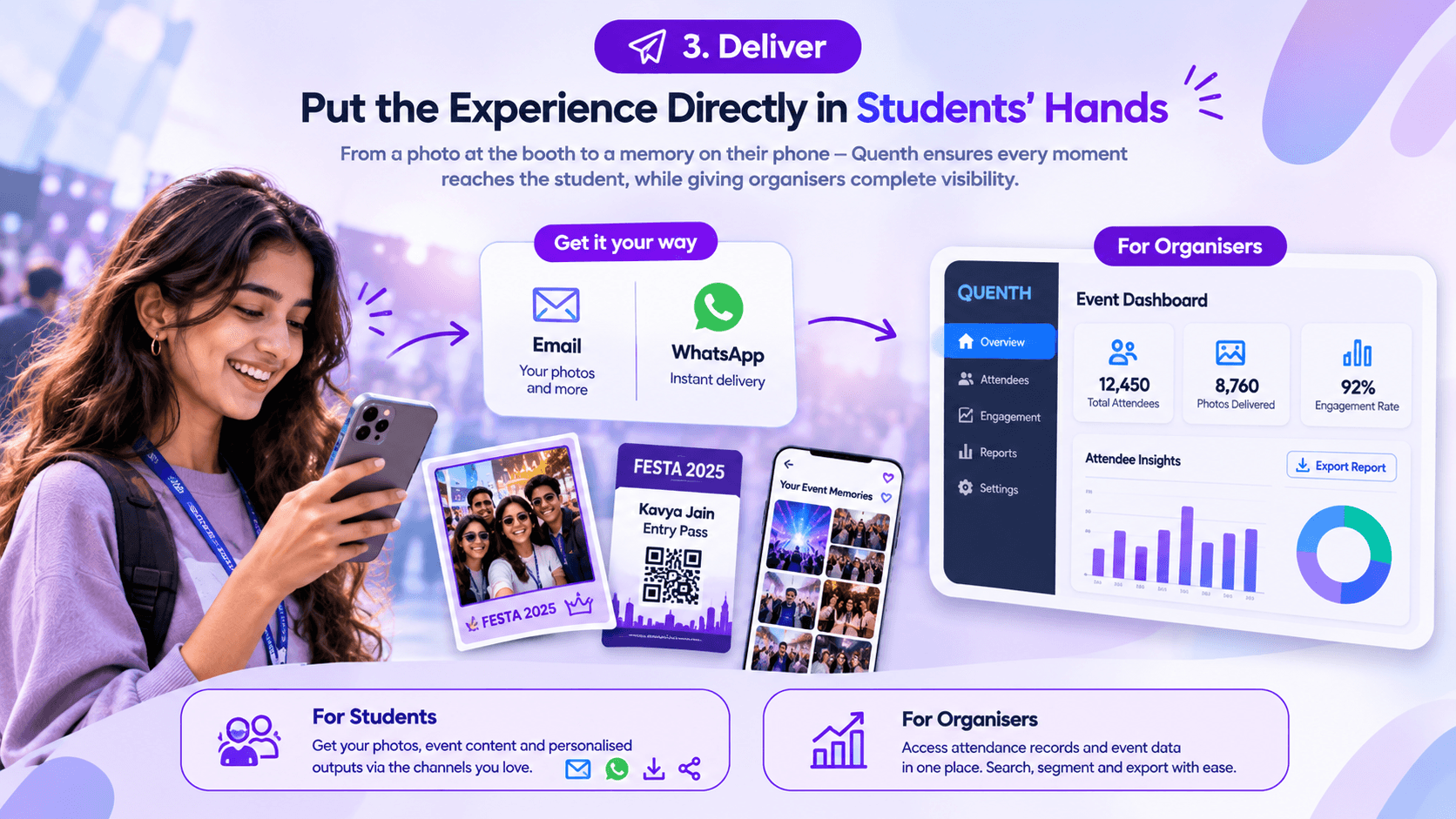
From capturing a moment to getting it to the attendee, it can all happen as part of a connected workflow.
How a Campus Event Runs, Hour by Hour
A connected platform is of particular use when you've got a number of experiences that need to be working in conjunction during a busy event.
Here's how a typical Quenth-powered campus event can flow:
- ✓ At the gate – Check in fast: Using an QR-enabled Entry Pass, students can check-in and register for the event and have their attendance recorded.
- ✓ On the ground – Capture the buzz: Students will interact with a variety of tech such as AI photo booths, games etc.
- ✓ On screen – Personalise and reveal: Generate live photo galleries and crowd mosaics to generate a variety of visuals for students to personalise.
- ✓ After the interaction – Deliver and measure: The photos will be delivered and the organisers can draw on the reports in the dashboard to understand students attendance and engagement.
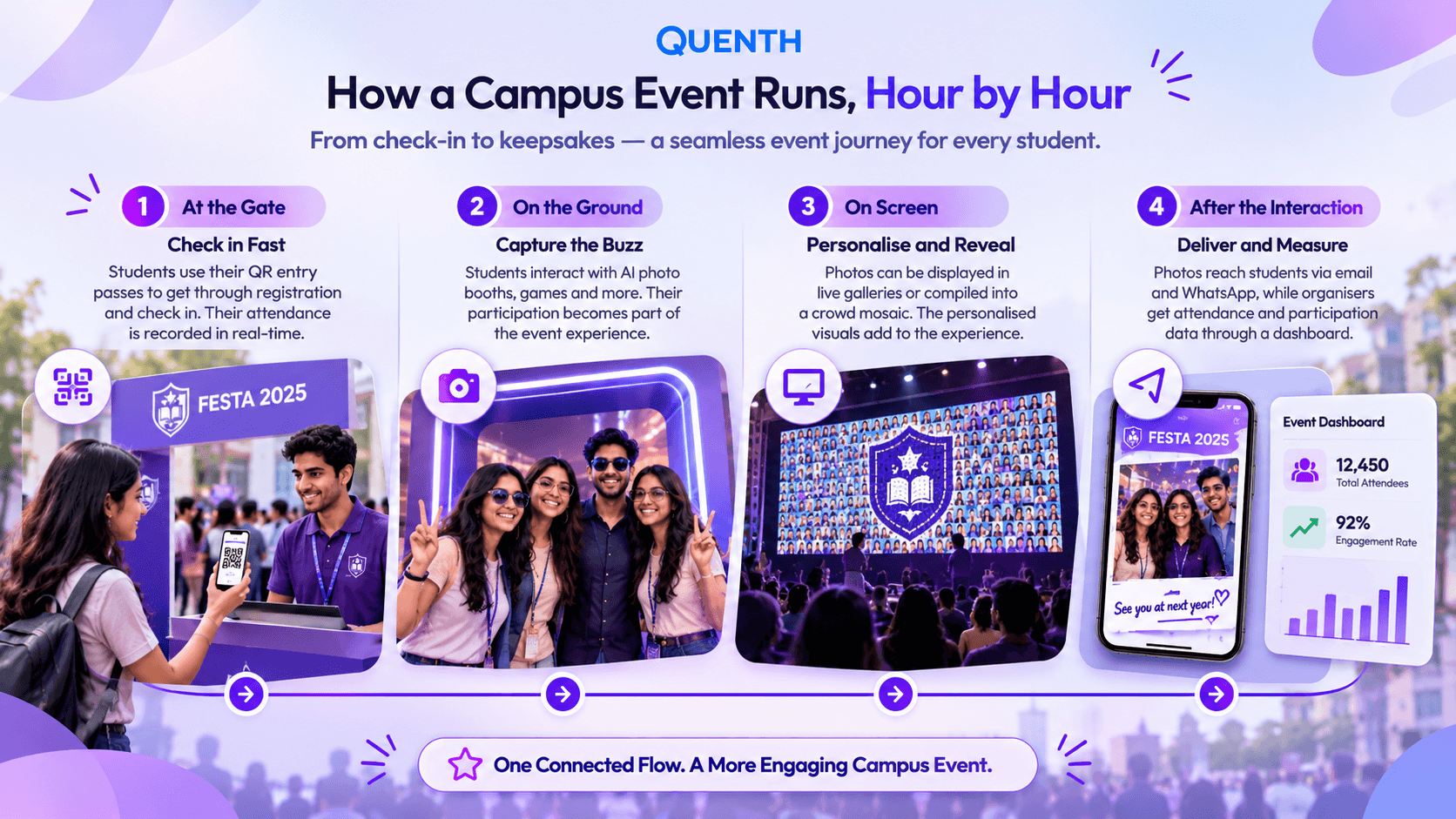
This flow connects activities which would otherwise need to be managed via separate tools and manual coordination.
One Platform. One Vendor. One Event Record.
Running a campus fest with separate tools for registration, photography, games, displays, and content delivery can quickly become difficult to coordinate.
Quenth brings these experiences together through one platform. Rather than having to coordinate four or five different tools for a fest, you can bring all the key activities into one connected platform.
This also means you can personalise more, digitalise activity and have one place to report attendance.
Make Every Campus Event More Personal with Quenth
A successful campus event is not just about the stage, the performances and the activities. It's about the moments the students are actually in, the memories they take away and how well the event all comes together in the background.
Quent has a wide range of features that can allow your students to engage with your event. Check-ins, AI Photo booths, Live Walls, Crowdplay, AI bots, personalisation & digital delivery. This can all be done on one single platform. This can be used for a wide range of events such as orientations, college fests, convocations, and society nights to make your college's events engaging.
One campus. Many events. One connected experience.
Book a demo to bring connected student experiences to your campus calendar.
Frequently Asked Questions
What is a campus event management platform?
A campus events management platform allows your college to manage various activities during your event such as registrations, QR check ins, engaging with your audience, photographs and event reporting.
What types of college events can Quenth support?
Quenth can be used for college fests, orientations, convocations, concerts, club events, society nights and all sorts of other campus functions.
How does Quenth personalize student experiences?
It can use attendees information and utilise your colleges branding to create personalised photos, entry passes, digital signages and much more.
Can students receive their event photos on their phones?
Yes. Personalised photos can be delivered via email and WhatsApp so students can easily access and share them.
Can Quenth support large-scale college fests?
Yes! It is designed to work for events of all sizes, from small orientation programmes to student festivals.
Related Articles




Your next event deserves better than the last one.
Twenty minutes. We'll show you what your event could look like if every photo carried a name, every display carried a face, and every output left attendees feeling seen.