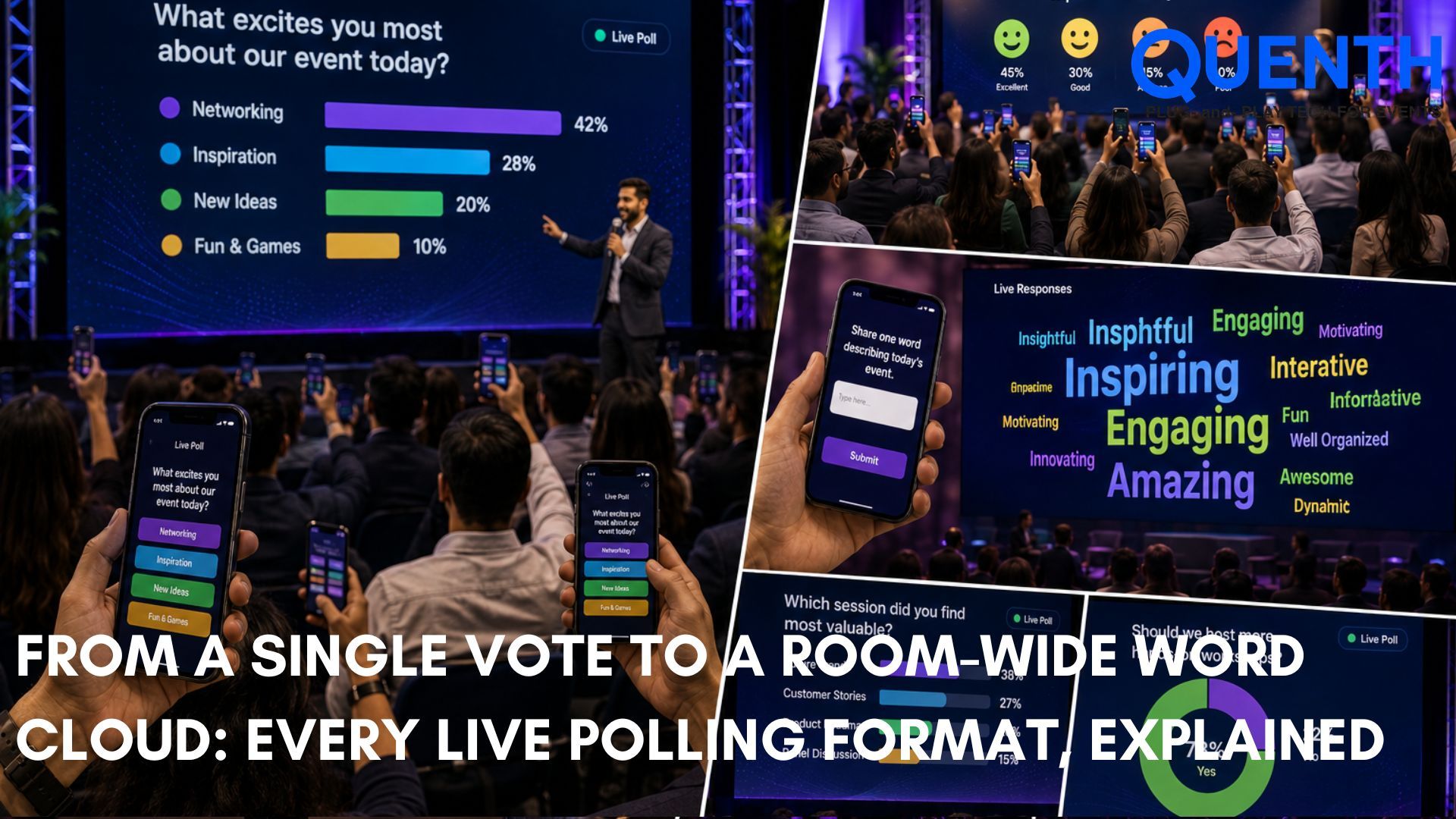
From a Single Vote to a Room-Wide Word Cloud: Every Live Polling Format, Explained
Introduction
With a live poll, the room full of spectators can become an active audience. Whether it's a quick multiple-choice vote or ratings, rankings, or dynamic word clouds, live polling lets attendees quickly and easily voice their opinions and see how the rest of the room is responding.
Instead of treating polling as an afterthought, Quenth integrates polls directly into the shared event ecosystem—letting crowd sentiment flow effortlessly into giant screens, content walls, and post-session analytics.
What poll formats does Quenth support?
There are multiple methods of answering different types of questions. The question, "Do you agree or disagree?" does not require the same interaction as "What is the most important idea for you to consider?" Selection of the right format helps to make the participation easier for guests and the outcome data more useful to organizers.
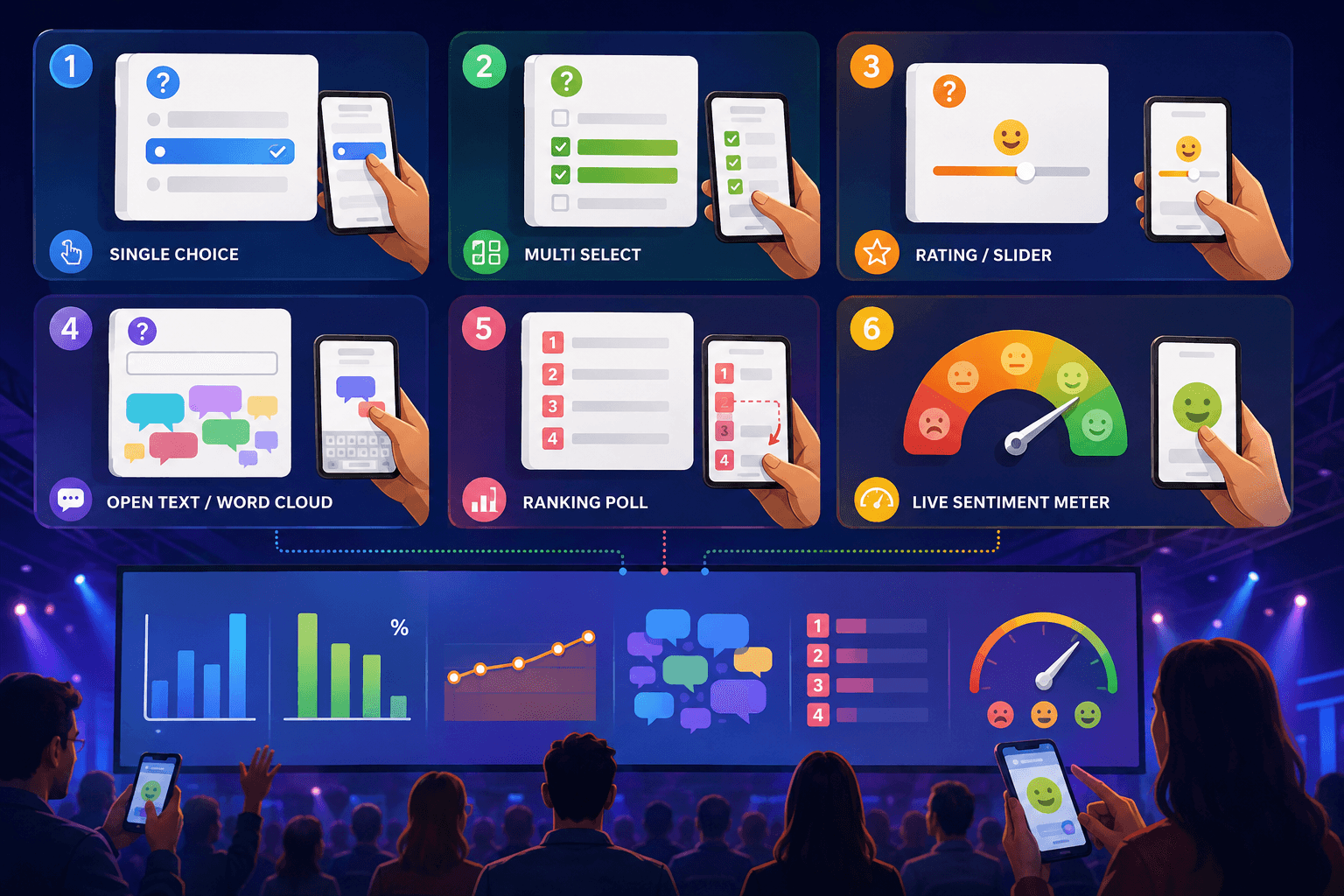
These are the 6 formats that Quenth's Live Polls + Word Cloud module offers:
Single-Choice Poll
One question. One answer. A single picture of the room.
The simplest way to ask the audience's opinion is the Single-Choice Poll. A question is given along with a clear list of options, allowing each participant to cast one definitive vote.
Where it’s useful: This format is great for an audience pulse check, a stage icebreaker, an opinion question, or a decision-making moment where the audience must make one clear, unambiguous selection.
Multi-Select Poll
If there is not one correct answer, give the participants several possible answers.
Questions frequently involve multi-faceted preferences. A Multi-Select Poll enables organizers to give guests multiple options to choose from, with the maximum allowable selections customizable in advance.
Because participants are allowed to have more than one response, the results are calculated and displayed as a percentage of total respondents rather than a rigid pie breakdown. This cleanly reveals broad preferences across overlapping interest groups.
Where it’s useful: Especially helpful for multi-variable preference surveys, questions with multiple valid answers per attendee, product feature feedback, and nuanced audience research.
Rating/Slider Poll
Convert an opinion into a numeric value.
Rating / Slider Polls work best when you want audience members to express degree and intensity—such as agreement, satisfaction, readiness, or perceived value—along a fluid numeric spectrum rather than selecting discrete buckets.
Where it’s useful: Ideal for session evaluations, speaker feedback, sentiment benchmarking, and measuring immediate crowd reactions to keynote pitches or product unveils.
Open-Text Word Cloud
Eliminate options and allow the audience to express their thoughts.
An Open-Text Word Cloud allows participants to freely type in any term or phrase from their smartphones rather than being restricted to predefined options. As common terms recur, they dynamically scale up on the main screen in real time.
Where it’s useful: An excellent visual catalyst for opening session questions, spontaneous brainstorming, identifying emergent conference themes, and gathering unfiltered attendee sentiment.
Ranking Poll
Don't say what matters, say what is first.
A Ranking Poll prompts participants to actively drag, drop, and order a curated set of items by personal priority. It forces respondents to evaluate trade-offs rather than marking every option as equally important.
Where it’s useful: Crucial for executive offsites, strategic roadmapping sessions, roadmap feature prioritization, community voting, and sorting competing organizational initiatives.
Live Sentiment Meter
Don't ask "once only". Continue to monitor the room.
The Live Sentiment Meter represents an ongoing dynamic pulse rather than a discrete poll. Guests tap reactive emojis or sliders reflecting how they feel at any given second, updating their response whenever their energy shifts. The aggregate room mood is visualised via a live dynamic needle gauge instead of static bars.
Where it’s useful: Unmatched during live keynotes, hands-on workshops, prolonged panel discussions, or product walk-throughs where speakers want to track crowd energy and engagement spikes over time.
Where Poll Results Can Go Next
Live polling is more than just gathering responses. The event can be an integral part of the results. All poll formats can be pushed to a large display or an event wall, where the audience will see responses building up as they go.
- ✓ Live Big-Screen Charts: Single-Choice and Multi-Select polls immediately generate dynamic, animated horizontal or vertical bar charts.
- ✓ Dynamic Event Walls: Open-text submissions float directly into live generative word clouds or cascading social-style message streams.
- ✓ Real-Time Atmosphere Gauges: Sentiment meters stream to stage monitors or venue LED backdrops, allowing moderators to adjust pacing instantly.
Learn more about how polling connects to booths, walls, and registration in our comprehensive Crowdplay Guide.
Conclusion
The right poll format can bring audience participation to be more engaging, meaningful, and visual. Use the right format to make responses from the audience part of the event — a quick vote, deep feedback, audience priorities, or a word cloud for the whole room.
Book a demo to see how to power your audience with live polls.
Frequently Asked Questions
Can poll responses be anonymous?
Yes — anonymity can be toggled per poll, so responses count toward results either with or without being tied to a guest's identity.
What's the difference between a Rating/Slider poll and a Ranking poll?
A Rating/Slider poll scores one thing on a scale. A Ranking poll orders multiple items relative to each other — there's no scale, just a sequence.
Does the Sentiment Meter run for the whole event automatically?
It can be configured as a continuous pulse guests can re-tap anytime, or set to snapshot mode for a single one-time read, depending on what the event needs.
Can multiple poll formats run in the same session?
Yes — a session can move through several formats in sequence, such as a single-choice poll followed by an open-text word cloud, without needing separate setups.