
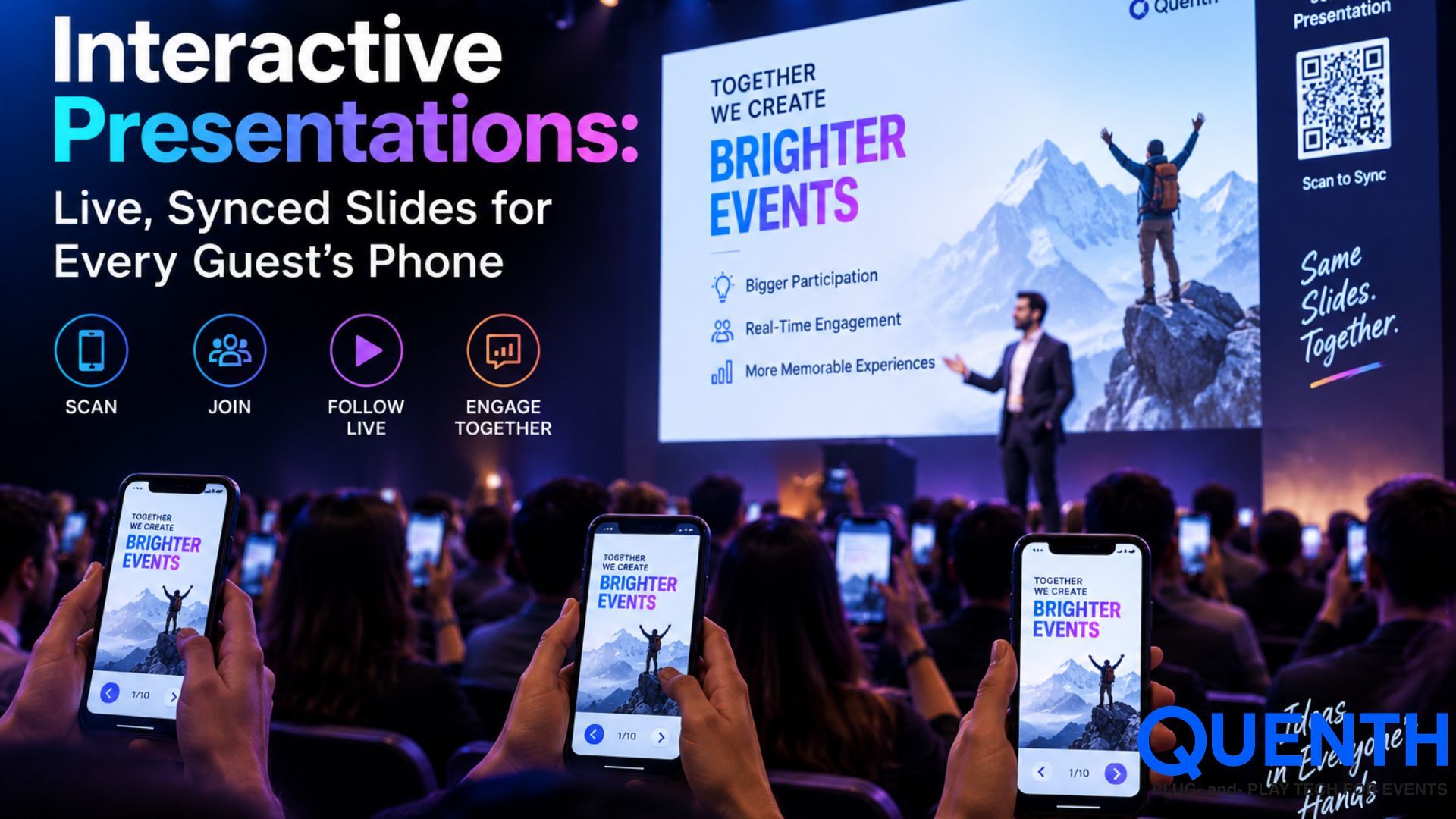
Interactive Presentations: Live, Synced Slides for Every Guest's Phone
Introduction
A presentation isn't necessarily a passive experience watching a screen. With Interactive Presentations, the audience becomes an active part of the presentation, as the presenter's live presentation is synchronized with each guest's mobile phone. Attendees can respond in real time in a variety of ways, from polls to Q/A, brainstorming to word clouds, while the presenter controls the flow at the front of the room.
What are Interactive Presentations?
Interactive Presentations is a Crowdplay module for presenter-centred, live audience interaction. A presenter runs a slide deck that incorporates interactive features like polls, word clouds, Q&A and brainstorming boards, and all of the participating guests' phones follow along with the presentation.
The audience follows the presenter through the slides as the presenter advances through the presentation. This allows everyone to see the same part of the presentation, but at the same time use their own device.
Presenter-Paced, by Design
The interactive presentation is tailored for the presenter. The pace of the session is set by one participant, with all remaining participants following along. As the presenter's slides move to the next slide, so do the guests. This ensures that the audience follows the presenter rather than each person going through the presentation alone.
The five slide types
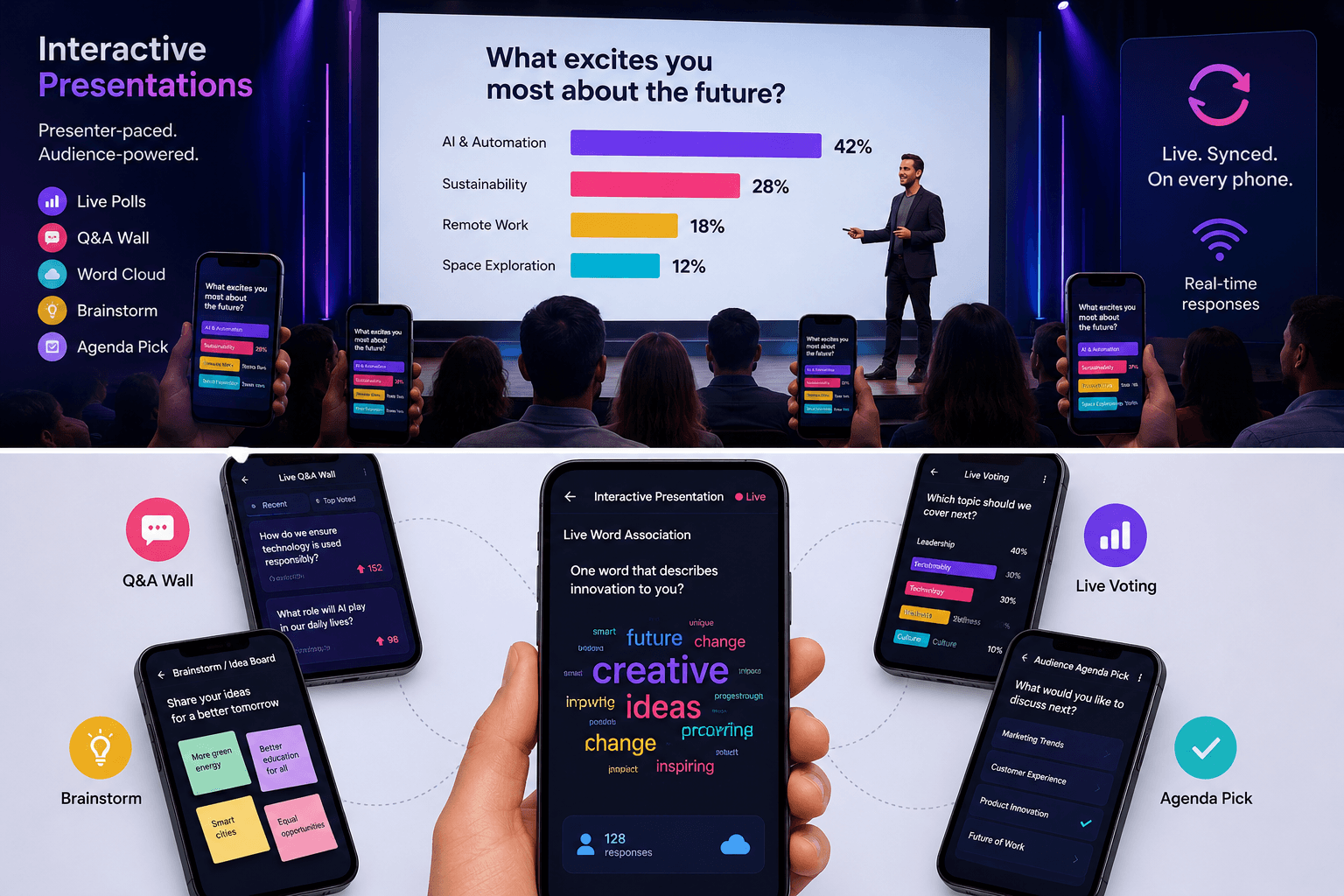
Interactive Presentations offers five different types of interactive slides for varying levels of audience participation.
1. Live Q&A Wall
The Live Q&A Wall enables participants to ask questions during the presentation. Rather than using a microphone or going through the traditional Q&A, guests can enter their questions directly from their cell phones.
This helps the presenter focus on what it is they want the audience to hear the answer to and helps the most popular questions get to the front of the queue.
2. Brainstorm / Idea Board
Brainstorm / Idea Board involves making the audience the source of ideas. The host can ask a question or pose a challenge, then everyone can respond via their mobile devices. These answers are then displayed on a common board on the presentation screen.
This can be helpful for brainstorming sessions, workshops, strategy discussions, and collaboration sessions.
3. Slide-by-Slide Live Voting
Slide-by-Slide Live Voting allows you to embed a poll right into the presentation stream. The presenter can pose a question, get the audience to vote, and show the percentages before going on to the next question.
This can be helpful for finding out what people are thinking, for testing an assumption, for taking an immediate reading, or for starting a conversation.
4. Audience-Driven Agenda Pick
With an Audience-Driven Agenda Pick, the audience gets a say in what happens next. Rather than an entirely rigid order, the participants can vote for the topic or section to be covered next. The presenter can then use the live result to help focus the session.
This gives participants a better feeling of belonging to the presentation; they are not just reacting to what is said, but can help drive the presentation.
5. Live Word Association
Live Word Association is an opportunity for participants to respond with a word or a short answer to a prompt. Responses are received and displayed as a word cloud on screen.
Can be used as an opening activity, a rapid reaction exercise, or a closing activity to collect what the audience has learned during the session.
Mix Multiple Slide Types in One Presentation
The advantages of Interactive Presentations are that these formats aren't meant to be utilized separately. A presenter can create a presentation in which more than one type of slide is grouped together in a single presentation. The presenter is in control during the session; the audience gets involved by their cell phone.
Every Response Is Saved
Audience participation isn't eliminated when the slide changes. All interactions, including votes, questions, and submitted words, are recorded. If a guest gives their name, the answer could be linked to that guest's record. This may be advantageous for individualization and follow-up following the event.
What stays outside this module, on purpose
Interactive Presentations does not intend to accommodate all forms of Crowdplay interactions. The Quiz, Spin the Wheel, Tombola, Lucky Draw, and Excitometer are still standalone modules. This ensures that every experience is used for what it's supposed to be used for.
These experiences help to ensure that Interactive Presentations stay on track: the presenter-led, synchronized, interactive presentation experience.
Conclusion
Interactive Presentations takes the traditional presentation, which is just a one-way flow of information, into a shared presentation with your audience. The presenter sets the pace, and the guests interact via their cellphones via polls, questions, brainstorming, voting, and word association.
Want to see a live presentation sync across a room of phones in real time? Book a demo and we'll run one live.
Frequently Asked Questions
Do guests need to download an app to join a live presentation?
No — guests join through a QR code, access code, or face recognition, and the experience runs in a browser on their own device.
What happens if a guest joins late, mid-presentation?
They join in sync with wherever the presenter currently is — there's no need to catch up on earlier slides to participate in what's happening now.
Can responses be anonymous?
Yes — if a guest hasn't provided a name, their responses are still captured and counted toward live results, just logged anonymously rather than tied to an identity.
How is this different from a standalone presentation tool?
Responses captured here sit in the same data layer as the rest of the platform — a name collected during a presentation can carry through to a badge, a wall display, or a follow-up email, without re-entering it anywhere.